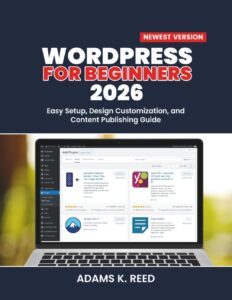
Essential WordPress Plugins
EssentialWordPress plugins that will make your website faster, more secure, and better optimized for search engines.
These plugins cover everything from performance optimization and security to SEO, backups, and even social sharing.
Whether you’re running a blog, an e-commerce site, or a portfolio, there’s a plugin for almost everything!
WordPress powers over 40% of websites on the internet today, and for a good reason!
Its flexibility, ease of use, and vast ecosystem of plugins make it a go-to choice for both beginners and advanced web developers.
But here’s the thing: WordPress itself is pretty bare-bones when you first install it.
To truly unlock its potential, you need the right plugins.
Why WordPress Plugins Are Crucial for Your Website
Plugins are like apps for your WordPress website. They extend their features, allowing you to add new functionalities without writing code.
They can help with SEO, improve site speed, enhance security, and so much more. Here are some reasons why plugins are essential for your website:
- Ease of Use: You don’t need to know how to code to use plugins. Most plugins have a simple interface that can be activated with just a few clicks.
- Customization: WordPress plugins allow you to customize your website to suit your needs. Whether you want a contact form, an SEO tool, or a membership system, there’s probably a plugin that does it.
- Time-Saving: Many plugins automate tasks that would otherwise take a lot of time. For example, some plugins handle backups automatically or optimize your images for faster load times.
Now that we’ve covered why plugins are so essential, let’s get into the must-have plugins for every WordPress site.
8 Essential WordPress Plugins You Should Have
1. Yoast SEO
Search engine optimization (SEO) is one of the most important aspects of growing your website. With Yoast SEO, you get an all-in-one solution for improving your website’s search rankings.
This plugin offers an easy way to optimize your pages and posts with features like:
- SEO-friendly title and meta descriptions
- Readability analysis
- Sitemap generation
- Breadcrumb navigation
Yoast SEO is beginner-friendly but also powerful enough for advanced users. Plus, it integrates with Google Search Console for better insights into your website’s performance.
2. Wordfence Security
Security should always be a priority when managing your website.
Wordfence Security is one of the most popular plugins for protecting your WordPress site from hacks and malicious attacks. It includes:
- Real-time firewall protection
- Malware scanning
- Login attempt limiting
- Security alerts via email
Wordfence also has a free version, which is perfect for most websites, and a premium version with additional features like country blocking and real-time threat intelligence.
3. WP Rocket
Speed is a critical factor for user experience and SEO. WP Rocket is a caching plugin that boosts your site’s performance by caching your content and minimizing the load time.
Features include:
- Page caching
- Image optimization
- Database cleanup
- Lazy loading of images
WP Rocket is incredibly user-friendly and can drastically reduce your page load times, making it essential for any WordPress website.
4. UpdraftPlus
No one wants to think about their website crashing, but the reality is, it happens.
That’s why UpdraftPlus is a must-have plugin. This backup plugin allows you to create scheduled backups and store them safely in cloud services like Google Drive, Dropbox, and Amazon S3.
It also enables:
- Easy website restoration
- Backup of themes, plugins, and the database
- Remote backup storage options
5. Elementor
For those who want to create stunning page layouts without needing to know HTML or CSS, Elementor is the go-to page builder plugin.
It’s a drag-and-drop editor that gives you full control over your website’s design. Elementor features:
- Customizable templates
- Responsive design controls
- Advanced design elements like sliders and animations
With Elementor, you can create beautiful pages for your blog, e-commerce site, or portfolio, all with no coding required!
6. WooCommerce
If you’re building an online store, WooCommerce is the plugin you need.
It’s the most popular e-commerce plugin for WordPress, allowing you to sell physical and digital products, manage inventory, and accept payments.
Key features of WooCommerce include:
- Easy product catalog management
- Secure payment gateways
- Shipping calculator
- Order management
WooCommerce is highly customizable and supports a wide range of third-party integrations.
7. Akismet Anti-Spam
Spam comments can quickly flood your WordPress site, making it look unprofessional and affecting your user experience.
Akismet Anti-Spam is a plugin developed by Automattic (the creators of WordPress) that helps block spam comments on your site. Some features include:
- Automatic comment filtering
- Spam detection using a cloud-based service
- Reporting spam to improve accuracy
Akismet helps you keep your comment section clean, so you can focus on real engagement with your readers.
8. Social Warfare
If you want to increase social shares and grow your audience, Social Warfare is a great plugin.
It adds attractive social sharing buttons to your posts and pages, allowing your readers to share content with just one click. Key features include:
- Customizable sharing buttons
- Display share counts
- Support for all major social platforms
- Pinterest image optimization
Social Warfare makes it easy to connect with your audience and increase your site’s social presence.
Frequently Asked Questions (FAQs)
1. What are plugins in WordPress?
Plugins are add-ons that extend the functionality of your WordPress site. They help you add features like contact forms, SEO optimization, performance improvements, and more, without needing to code.
2. Are WordPress plugins free?
Many WordPress plugins offer both free and premium (paid) versions. Free versions usually come with basic features, while premium versions offer more advanced functionalities and support.
3. How do I install a WordPress plugin?
To install a plugin in WordPress, go to your WordPress dashboard, click on “Plugins” > “Add New,” search for the plugin you want, and click “Install Now.”
After installation, click “Activate” to start using the plugin.
4. Can plugins slow down my WordPress site?
Yes, using too many plugins or poorly coded plugins can slow down your site. It’s essential to only install the plugins you really need and ensure they are regularly updated for better performance.
Conclusion
WordPress plugins are invaluable tools for enhancing your website’s functionality, performance, and security.
Whether you need help with SEO, want to secure your site, or speed up your load times, there’s a plugin that can help.
The plugins mentioned in this article are some of the best choices for WordPress users, but remember to always research and choose plugins that suit your website’s specific needs.
By leveraging the power of these essential plugins, you’ll be able to build a faster, more secure, and more user-friendly WordPress site that stands out online.
So go ahead, start exploring these plugins, and take your WordPress website to the next level!
With these essential plugins, you’ll be well on your way to creating a WordPress website that’s optimized for performance, security, and SEO.